From the orchard block to the port, on one map.
Cheka tracks your trucks, trailers, tractors and bakkies. It measures how the road treats every load, knows which trailer is on which truck, and writes the logbook for you.

- 2.2M/hdata points from each tracker, every hour
- 0trailer swaps to record by hand
- 100%of trips logged and named automatically
- 4bolts to fit a tracker
One tracker. Six jobs done for you.
Other trackers tell you where a vehicle is. Cheka also tells you how the load travelled, which rig it was, and what the trip was for.
Know how the road treats your load
Vibration and shock on every trip, on the map. Find the roads that bruise fruit and the vehicles that need a service.
Auto couplingKnow which trailer is on which truck
Cheka finds trailer swaps by itself. No more spreadsheets of which trailer went where.
Automatic logbookA logbook that writes itself
Every trip recorded, named from your places and tagged from your rules. Work or personal. Export to CSV.
Auto zonesYour key places, found for you
Cheka finds the places where your vehicles stop often and suggests them as zones. Approve them with one click.
Rules and alertsYour rules, not a fixed list
Combine places, vehicle types, speed, vibration, temperature and humidity into the events that matter to you.
FieldsKnow who worked which block
Load your blocks with crop data. See which tractor worked in which block, when and for how long.
See what the load felt on the road.
The Cheka tracker measures vibration and shock all the time, not only position. Each trip shows where the ride was rough and where the load took a hit.
No other tracker in our market gives you this view. Use it to cut fruit damage, fix farm roads and find wear before a breakdown.
Vibration monitoring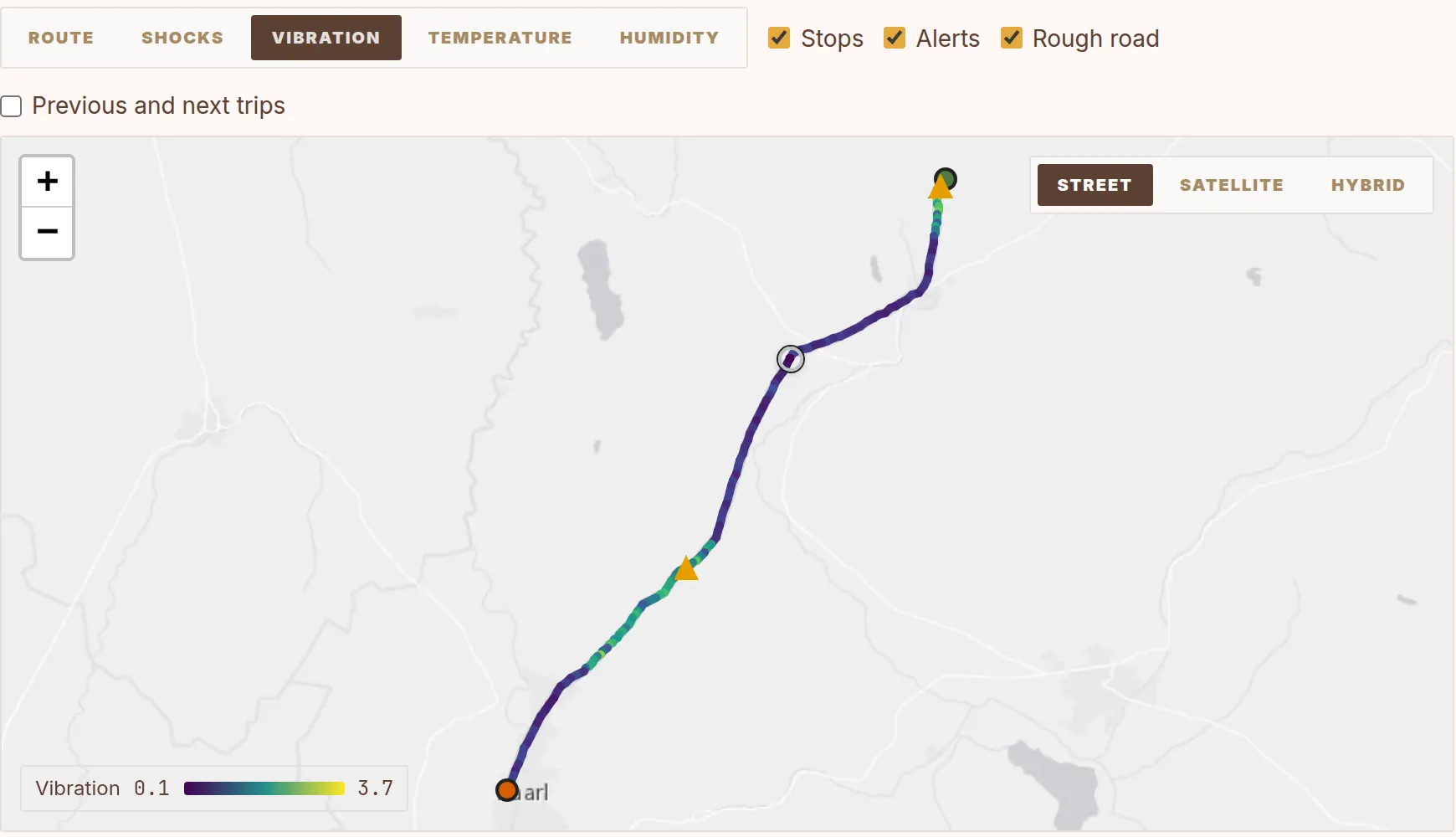
We take the headache out of trailer swaps.
On a farm, trailers move between trucks every day. Nobody wants to update a list each time. Cheka sees which trailer moves with which truck and proposes the new coupling. Accept it with one click.
Each trip then shows the full rig, and each trailer keeps its own history.
Fleet and couplingThe logbook writes itself.
Cheka records each trip with start, end, stops, distance and duration. Your places give each trip a name, for example Farm → Packhouse. Your rules give it a tag, for example delivery.
Mark trips as work or personal, correct a trip when you must, and export the logbook to CSV.
Automatic logbook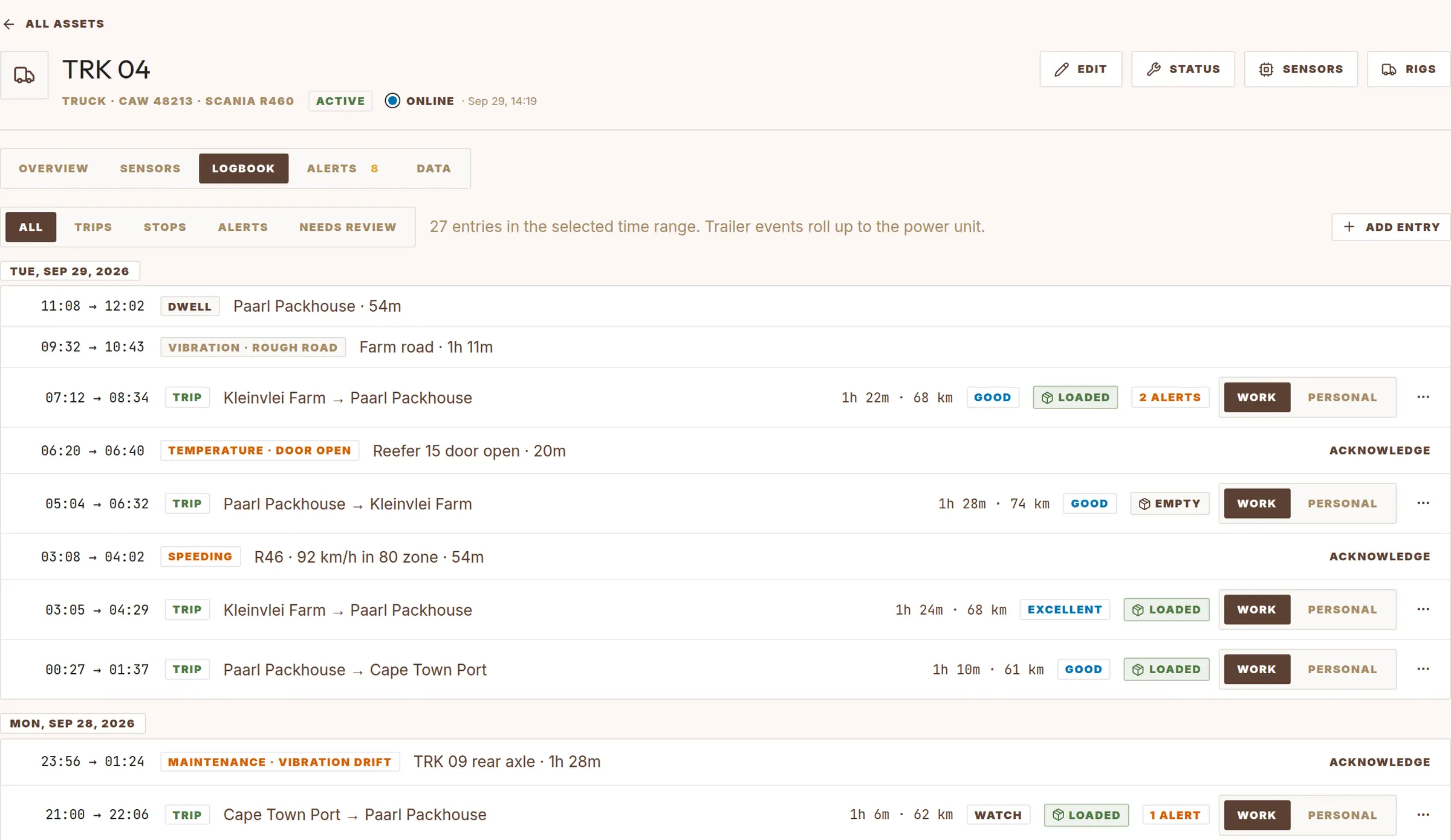
Know which tractor worked which block.
Load your farm blocks with crop, variety, soil and area. Cheka records each time a tracked tractor enters and leaves a block, and the time it stays.
Use the visit record to check spray and field work records and contractor hours.
Fields and blocks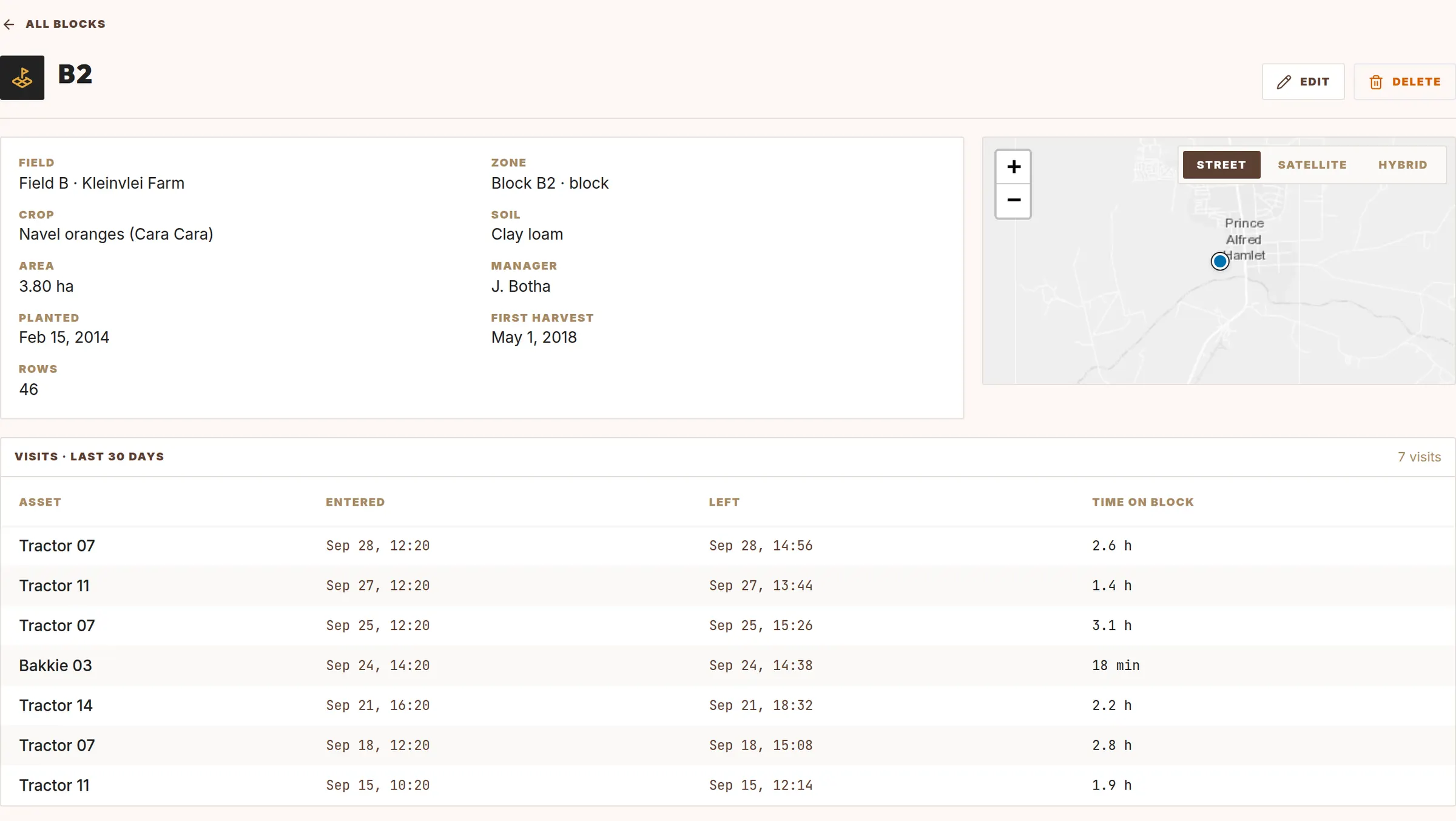
Up and running in days, not months.
-
Fit the tracker
Four bolts on the chassis and a connection to vehicle power. Wireless sensors go in the trailers.
-
Load your places
Upload your farms, blocks and packhouses, or let Cheka find them from where your vehicles stop.
-
Drive as usual
Cheka finds trips, stops and trailer swaps, and checks each trip against your rules.
-
Act on the evidence
Open any trip, event or alert and see the data behind it. Export what you need.
Every result has data behind it.
A score or an alert is only useful if you can check it. In Cheka, each summary links to the measurements that produced it.
- Open the GPS track, speed and time for each trip.
- See temperature and humidity from each sensor along the route.
- See which rule made an event, and the value that broke the limit.
- Export trips and events to CSV.
- Viewers see data. Only admins change vehicles, places and rules.